FindPathNow is the free game that provides a unique twist on word search. Your goal is to find all the words on a path. It’s free to play, no login required. Try it out now at https://findpathnow.com.
Warning
This is a message
This is a message
TIP
Warning
This is a message
This is a message
Game Settings
Value must be between X and Y.
Value must be between X and Y.
Game Settings
Show Next Letter
Show Next Letters?
NoYes
"Yes" means that valid neighbors will be displayed.
"No" means they will not.
Lower Case Letters
Use Lower Case Letters?
NoYes
"Yes" means that the puzzle can contain mixed-case letters, not just upper case.
"No" means only upper-case letters are used.
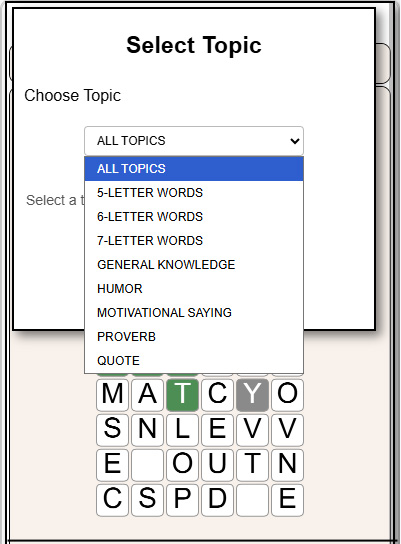
Select Topic
Choose Topic
Select a topic from the list.
Reset Credit Count
Reset Credit Back to Zero?
NoYes
"Yes" means that your credit score will reset back to zero.
"No".means you keep your score as-is.
Play with Chaser?
Use a Chaser?
NoYes
"Yes" means that you will be chased.
"No" means you will not.
HOW TO PLAY
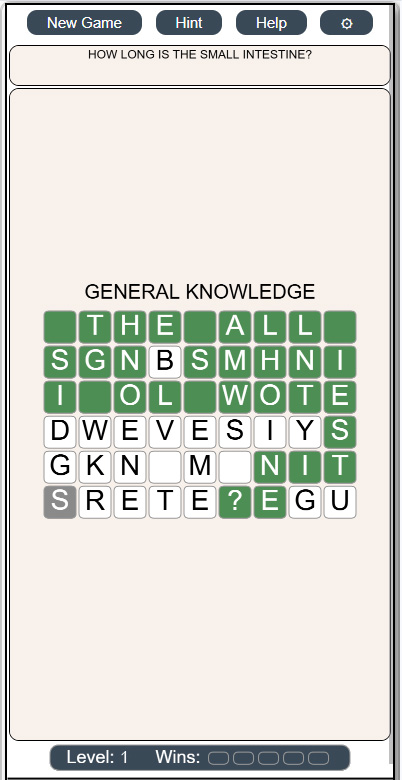
FindPathNow is a twist on the classic word search game. Your goal is to uncover all the words along a hidden path.
Getting Started: Your first game is pre-selected and ready to play. The path begins at the orange cell and ends at the gray cell. Your task is to follow the path and find all the letters in between.
Winning: Select all the correct cells along the path from start to finish within the three lives provided. If you are playing the timed game, then you have to get to the end before being caught.
More details are explained below.
SELECTING CELLS
There are four ways to select cells:
One-by-One: Tap the next letter you believe is part of the path.
Straight Lines: If multiple letters form a straight horizontal or vertical line, tap the last letter to select the entire sequence.
Corners: To turn corners, tap a diagonally adjacent cell (up-left, up-right, down-left, or down-right). The corner will be selected automatically.
Hints: Tap the Hint button to reveal the next letter in the path (highlighted in yellow).
COLORS
The colors used in the game have the following meaning:
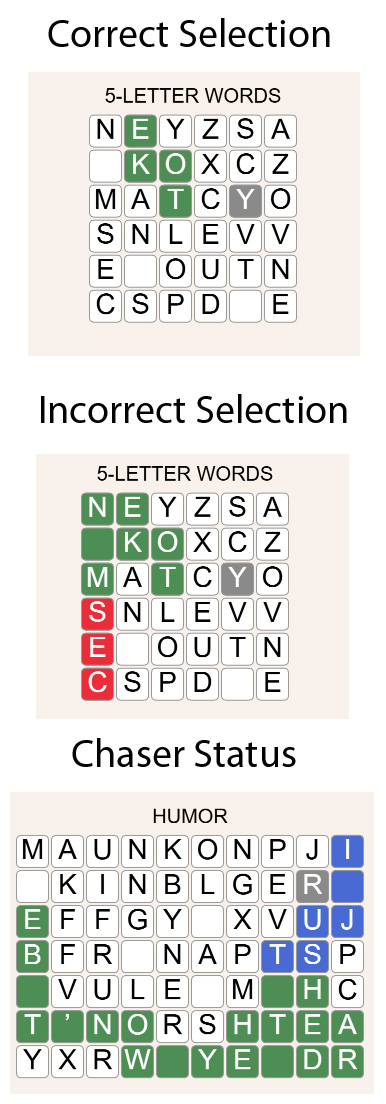
Orange: Starting cell and correct selections.
Red: Incorrect selections. These are automatically undone after a short delay.
Gray: Final cell in the path.
Black: Visual guides to help guide you along the path when multiple valid directions are possible.
Violet: (Chased mode) Cells that move along the path and try to catch you.
White: All other letters, which may or may not be part of the path.
LIVES
Each incorrect selection or use of a hint costs one life. The game ends when you run out of lives.
CHANGE TOPICS
The default topic is "5-LETTER WORDS". If you like playing a particular topic (e.g. humor), then go to "Settings -> Choose Topics".
There you will have a page that will show you the options and lets you select one.
GAME MODES
There are two game modes::
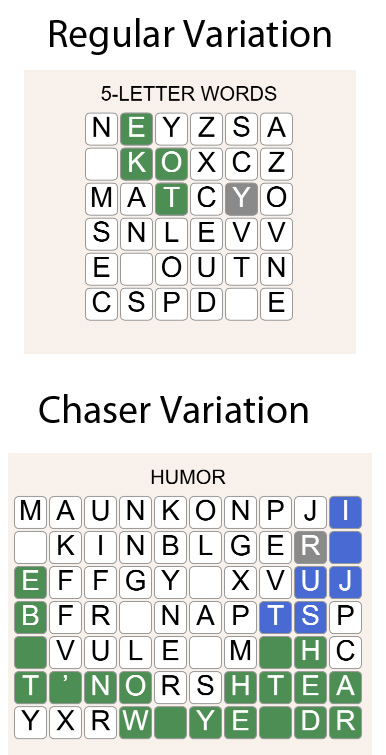
Regular: Find the path with no time pressure..
Chased: After your first move, a chaser begins following the path from the start. You have to reach the end before it catches you.
To change the game mode, go to "Settings -> Use a Chaser?".
There you can select "yes" or "no".
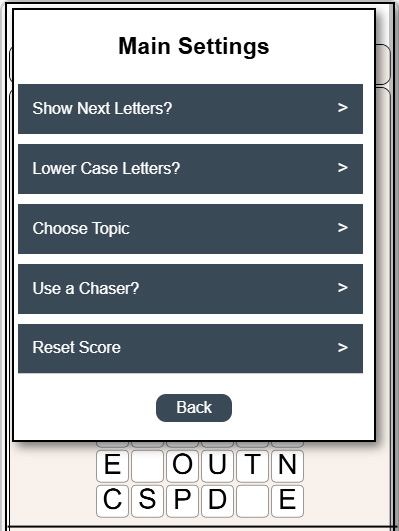
GAME SETTINGS
There are several different game settings:
Show Next Letters: Turning this on will let you see the valid neighboring cells that are next to the most recent selected cell. The cells are colored in orange
Lower Case Letters: By default, all the letters in the game are shown in upper case letters. If you prefer to see words as they would be written, then select lower case.
Choose Topic: Choose the topic from which the paths will be selected from
Use a Chaser?: Selected between Regular and Chased game modes
TIPS and TRICKS
Words Are Separated by Spaces: Each word is separated by a single space. The same applies after punctuation (e.g., ?, :). This can help you identify word boundaries as you trace the path.